Blog

  • How to Self-Host Your Blog with WordPress: A Guide for Beginners

    How to Self-Host Your Blog with WordPress: A Guide for Beginners

    Some of the links in this post are affiliate links, which means that if you click on these links and make a purchase or take some other action, we may receive a commission at no additional cost to you.


    Learn how to self-host your blog with WordPress, gaining full control over your site and content. In this comprehensive guide, I will walk you through the steps involved in choosing web hosting and building your website to make money. to unleash your blogging potential with self-hosting and WordPress.


    Contents

    Self-Hosting Your Blog

    Taken together opinions and recommendations I’d found during my preliminary research, I eventually decided to self-host my new blog.

    Primarily, I want full control over my site and content. I learned a painful lesson when Amazon terminated my Kindle Direct Publishing (KDP) account, and I found it hard to seek redress. I might risk losing my site and content if I host my blog on a free platform.

    Also, I might face certain limitations when I want to monetize my blog if it is not self-hosted. This blog is essentially a business venture I started to make money. For this reason, I reckon that it is sensible and worthwhile to invest some money, i.e. paying the hosting fee.

    Besides having complete control over my site, by self-hosting, I can choose my own domain name. It will make my blog look more professional and appealing.
    Choose A Web Hosting Package

    Affordability is another factor that prompted me to choose the self-hosting option. Through my inexhaustive research on hosting service companies, I found several companies that offered inexpensive packages.

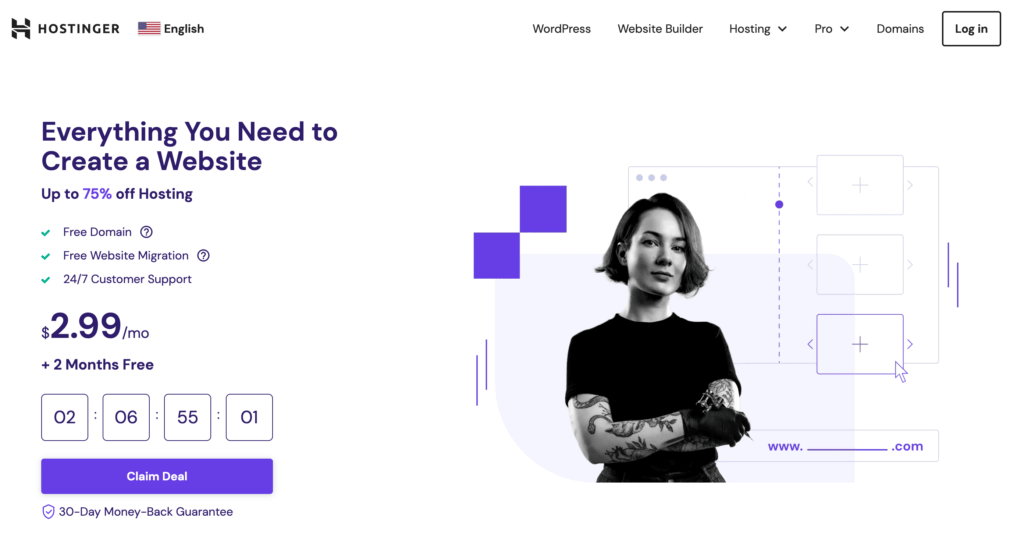
    In the end, I chose Hostinger. It has been ranked No.1 by a Crazy Egg review. It offers incredibly affordable packages, that come with perks like a free domain for the first year, free emails, and unlimited free SSL.

    Save for later ⤵️
    Not a tech-savvy person, the 24/7 Customer Support service is necessary for me. At the point of writing this, it is the third day since I set up my site, and I’ve contacted them twice for technical support. The Hostinger team has been friendly and helpful indeed.

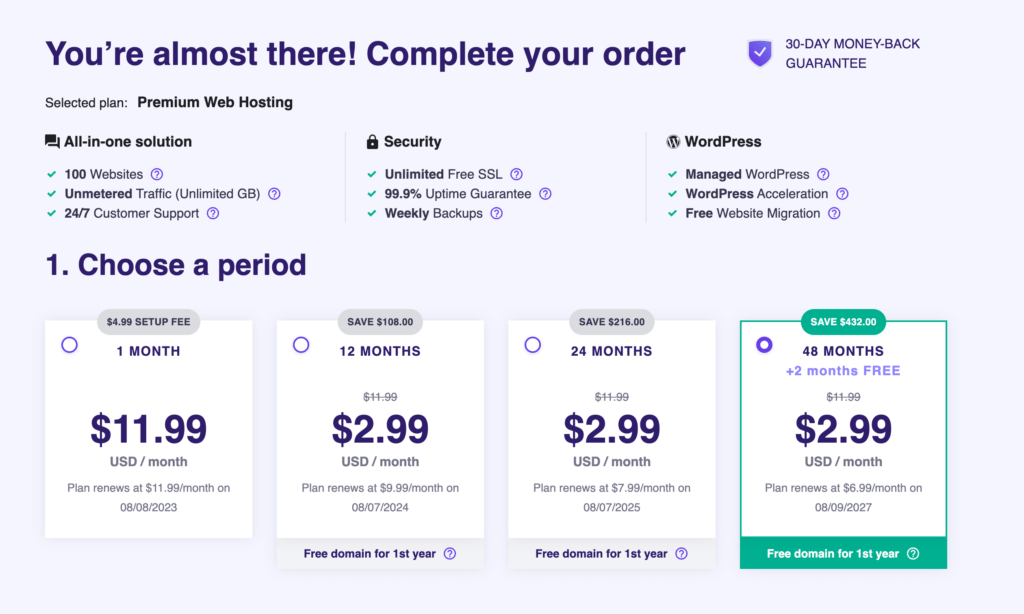
    I signed up for the 48-month package to lock in the hosting cost for the next four years.
    Sign Up for Web Hosting

    Now, I shall walk you through the process of signing up for Hostinger‘s web hosting service as the first step of self-hosting your blog.

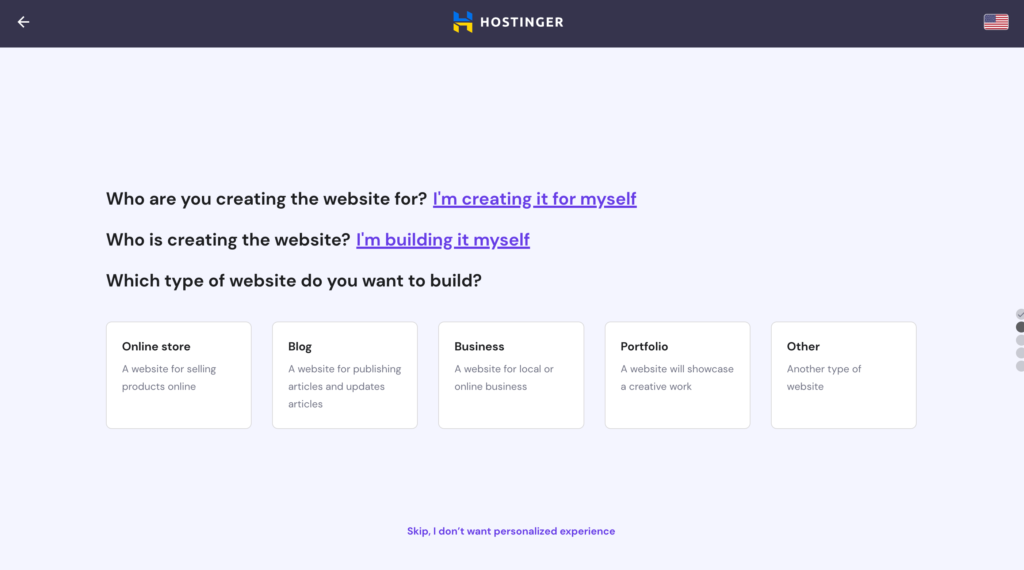
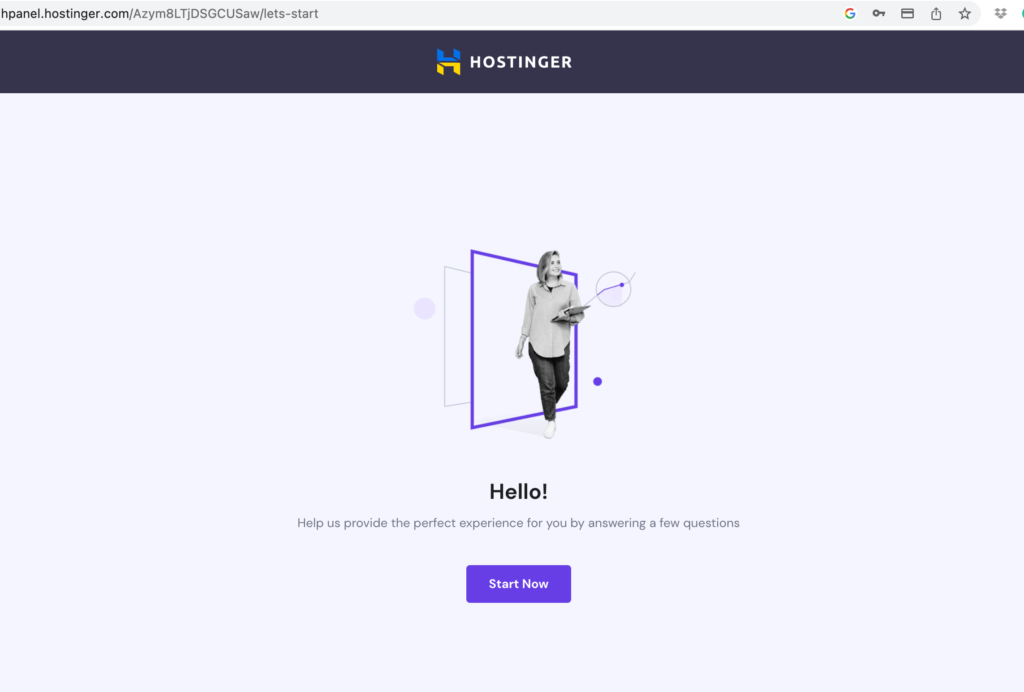
    Once you choose your preferred package, you will come across a few simple questions first: Who are you creating the website for? Who is creating the website? Which type of website do you want to build?
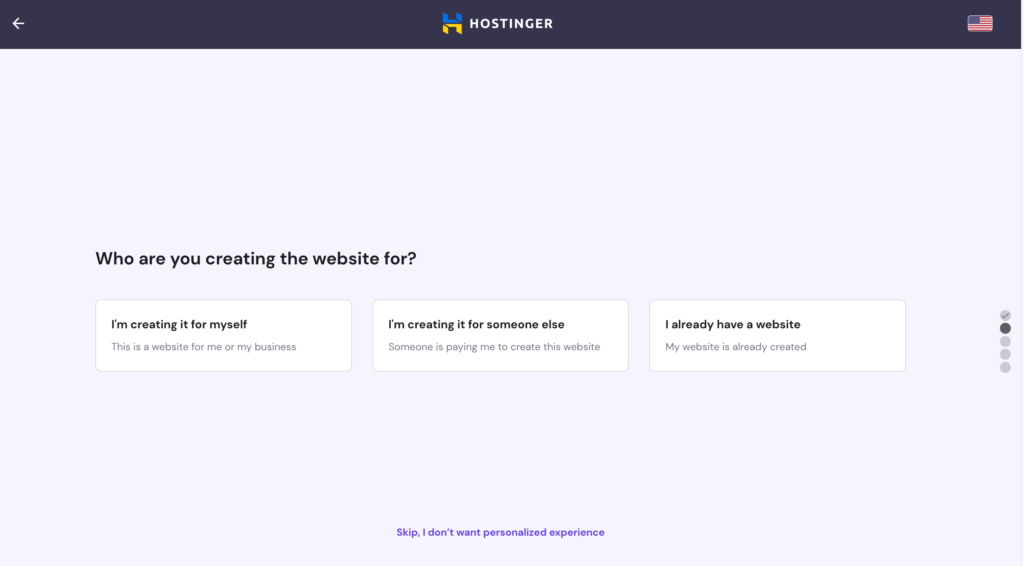
    Create Your Website

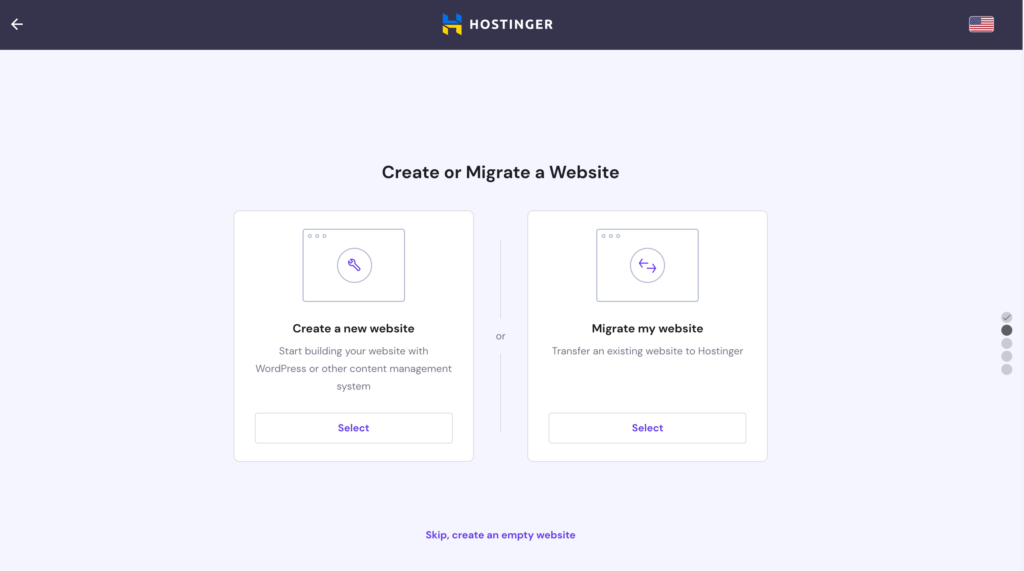
    After answering those questions, you will be led to a page where you can choose to create a new website with WordPress or another content management system, migrate an existing website, or create an empty website.

    I clicked the first option to proceed.
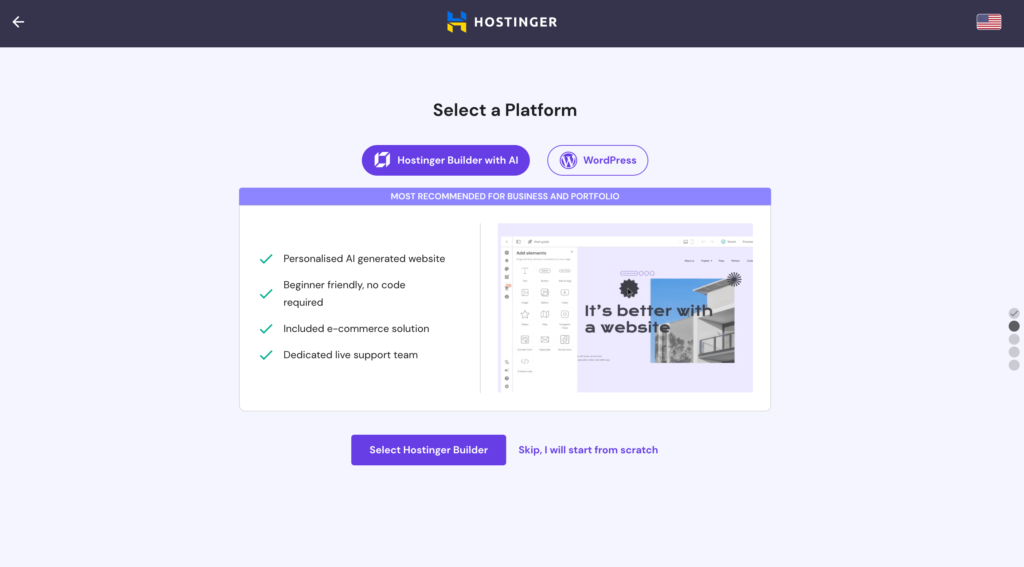
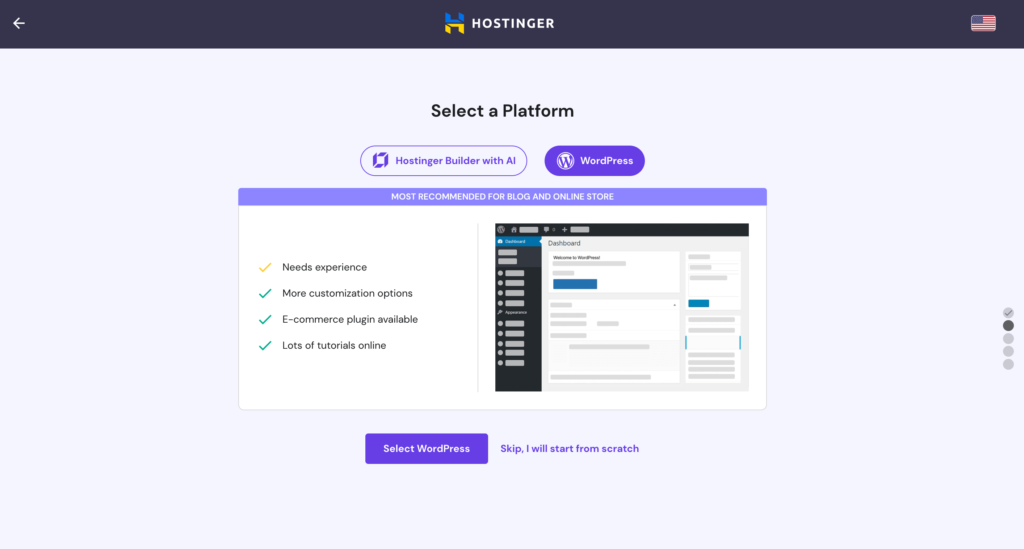
    Next, I was asked to build my website with either AI-powered Hostinger Builder or WordPress.

    The two options have their respective pros and cons. The AI-powered Hostinger Builder is beginner friendly and includes an e-commerce solution. The WordPress option is recommended for users with some experience, but it includes more options to customize our sites.

    Despite my lack of experience, I selected the latter. Why? Maybe because subconsciously, I liked to challenge myself a little more.
    Self-Host Your Blog With WordPress

    To build a site with WordPress, we need to create login details for our WordPress account.
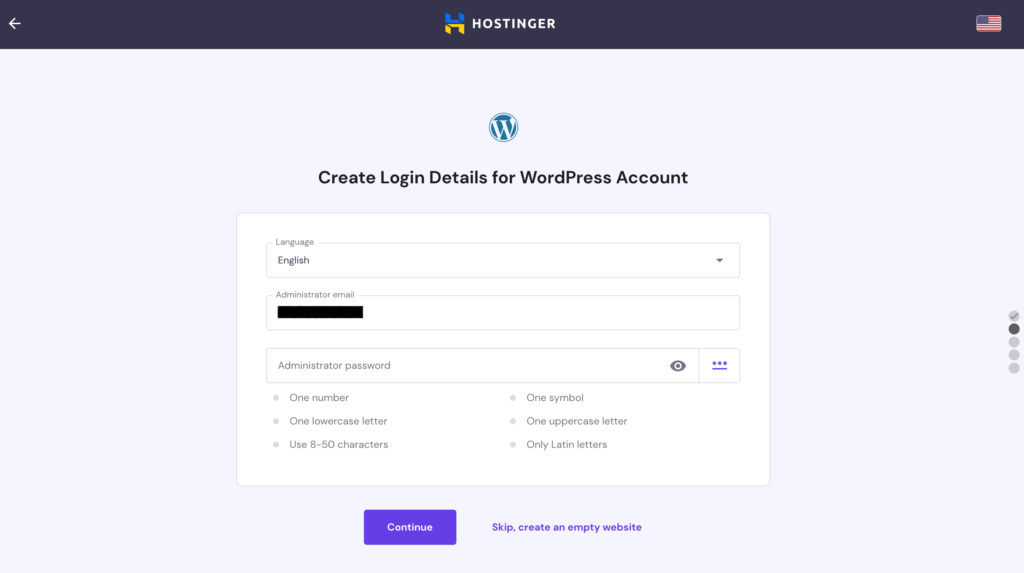
    And now, finally, the fun part begins!

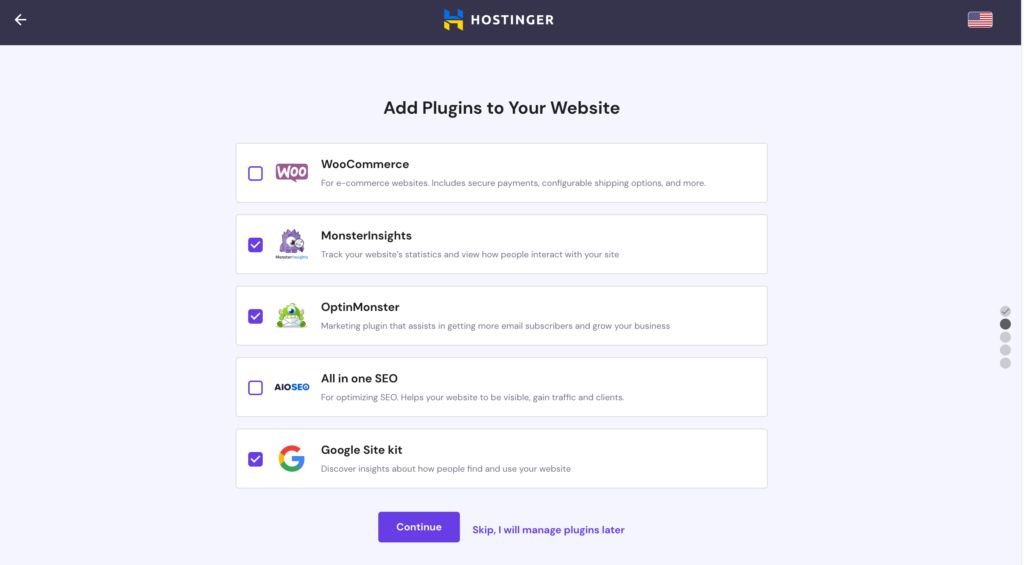
    We will first be asked to add some plugins to our website. We can always keep things simple first by skipping this step first and adding our preferred plugins later.
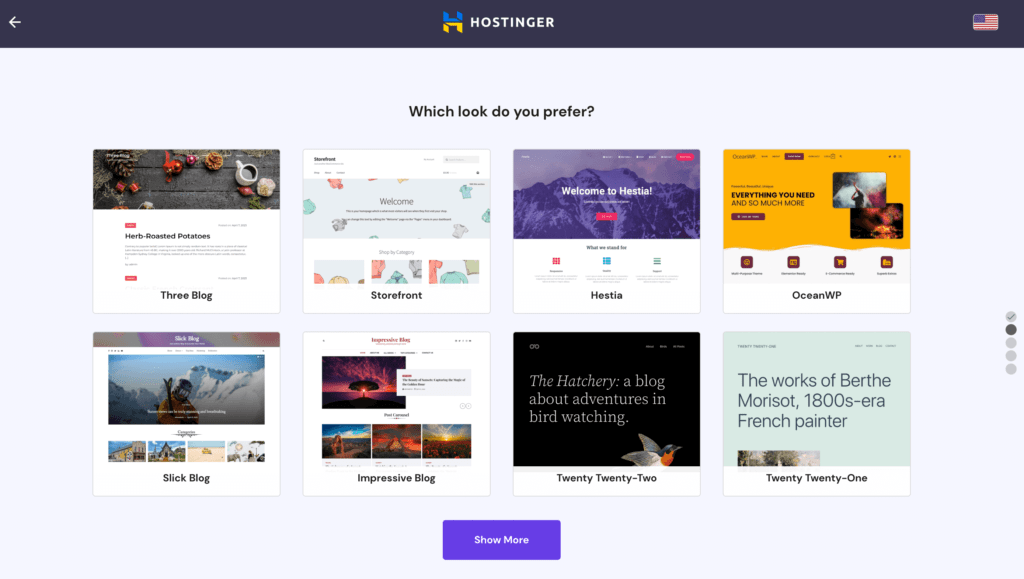
    Next is the step to choose a theme, i.e. how our website will look like. There aren’t many choices here. But don’t worry, there are many more themes available once we get into the dashboard. So simply pick one here even if you don’t like any of them. You can always change it later.
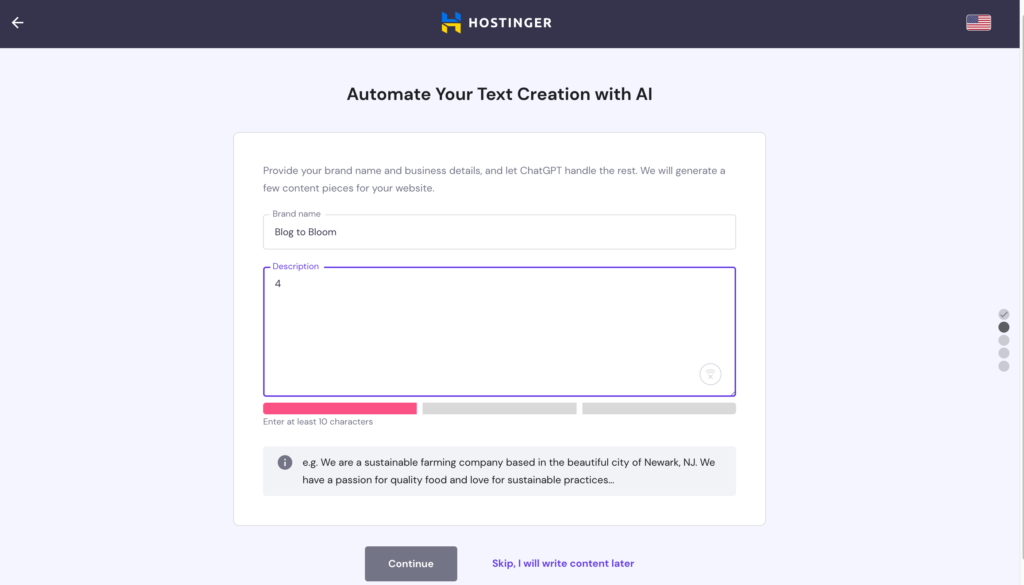
    Once we pick a theme, we will come to a page where we can ask Chat GPT to generate some content for our website. I wasn’t sure what this step was for when I came to this page, only to realize later that my website was populated with AI-generated articles when it was set up.

    If you already have your blog posts ready, simply click the “skip” button.
    Domain Registration

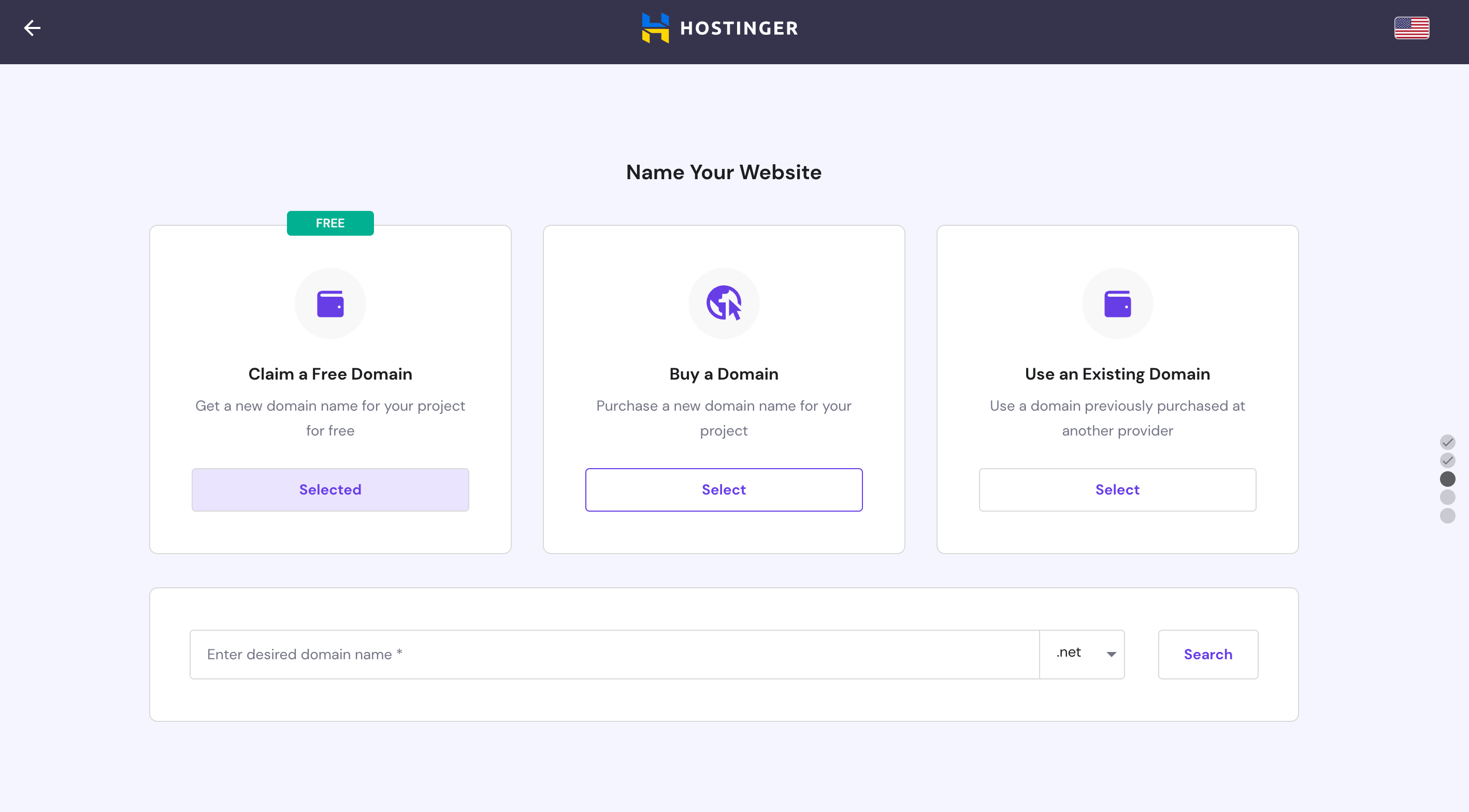
    To self-host our blog, we need our own domain. But it also means that we get to choose a domain name that is concise, easy to remember, and subject to availability, as close to our blog name as possible.

    Yes, subject to availability. Our preferred name(s) may have been taken.

    I checked once a few days before I signed up for web hosting. My desired domain name was still available then. Fingers crossed that nobody has taken it yet.

    Thankfully blogtobloom.com is still available. I quickly grab my free domain that comes together with the Hostinger package and complete the registration.
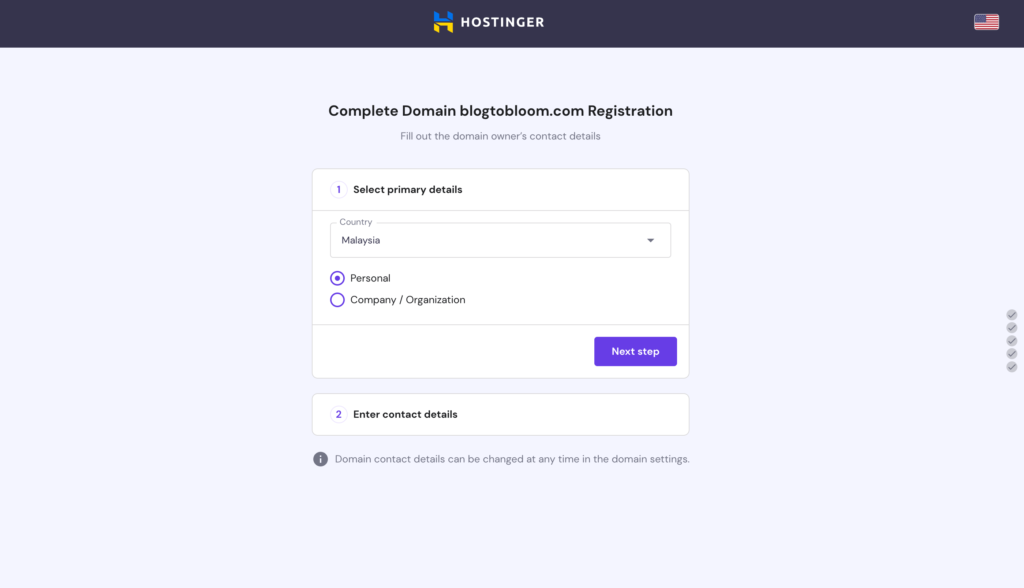
    Installation

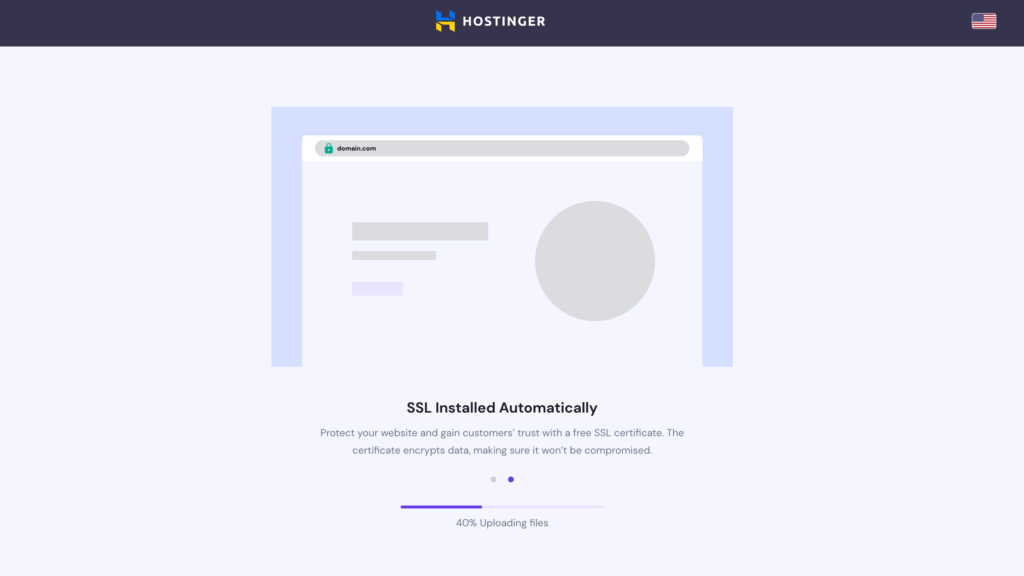
    Once the domain registration is completed, the installation process starts. It’s carried out automatically. We can go get a cup of coffee or stretch the body a bit. The installation should be done when we’re back.
    Design Your Website

    Once the installation is complete, we will come to our dashboard. More fun, exciting, and challenging tasks await us from now on.

    If you’re unhappy with the theme you chose earlier, you find plenty of other themes here. Just click the “Add New” button beside Themes to find a theme to your liking.
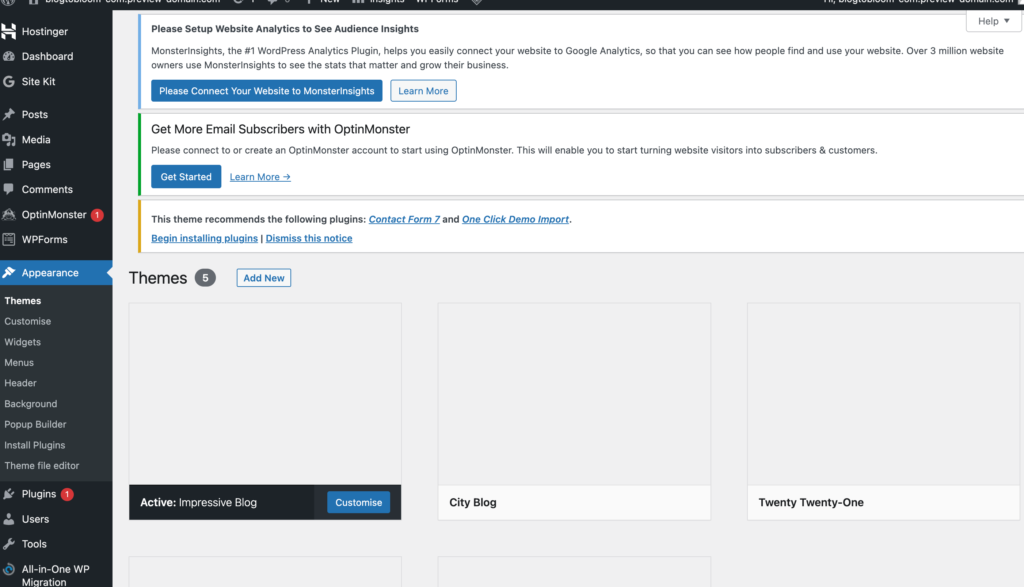
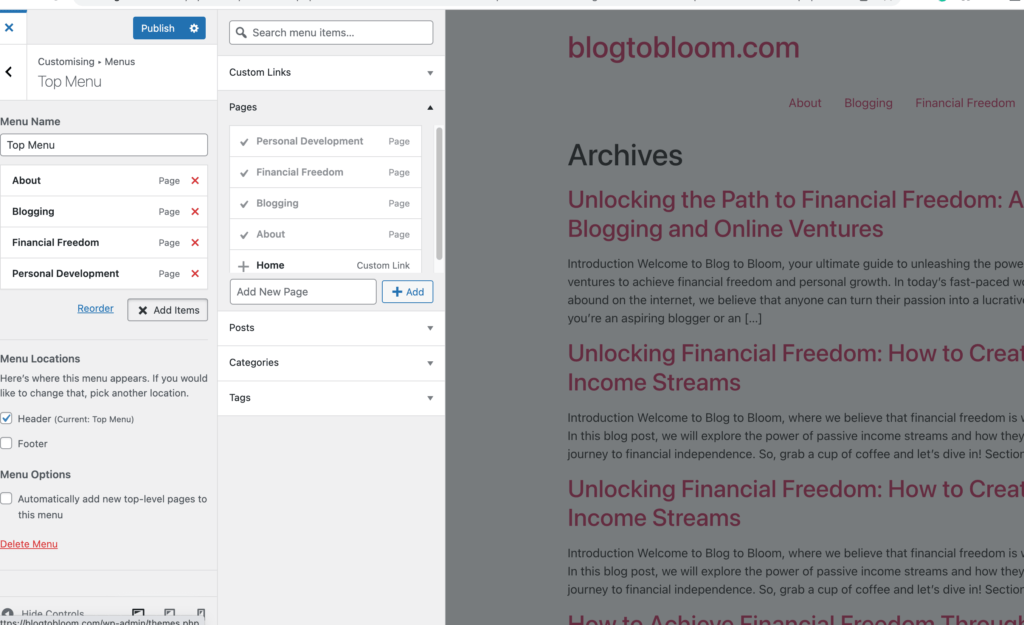
    After you pick a theme, you may want to customize your menu and add a few pages such as Home, About, Contact, Blog, Products, etc, to the menu list.

    The right part of the picture below shows the few articles that Chat GPT generated for my blog based on the description I provided earlier.
    Install Plugins

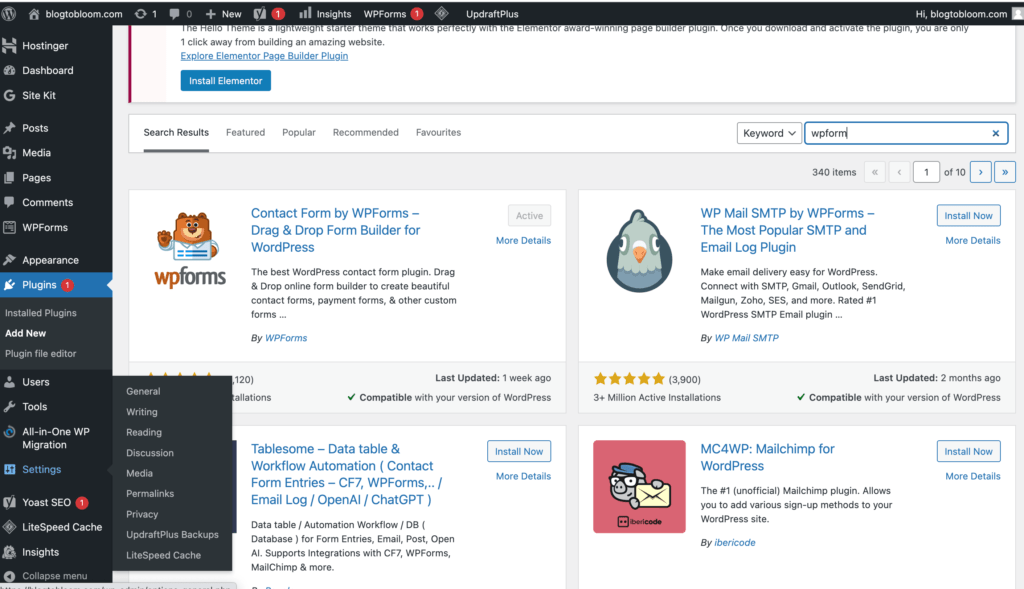
    WordPress templates come with a myriad of plugins. I reckon that some are essentials to build a successful blog. But for a start, I think it’s better to keep things simple and refrain from installing too many plugins before we get a grasp of what they are really for.

    So I chose Google Site Kit to get insights into how people find and use my site, Yoast SEO to help to optimize my posts for search engines, wpforms to create contact forms, Ultimate Social Media Icons to install social media share buttons, and FMTC Affiliate Disclosure to include a disclosure statement at the beginning of my posts.
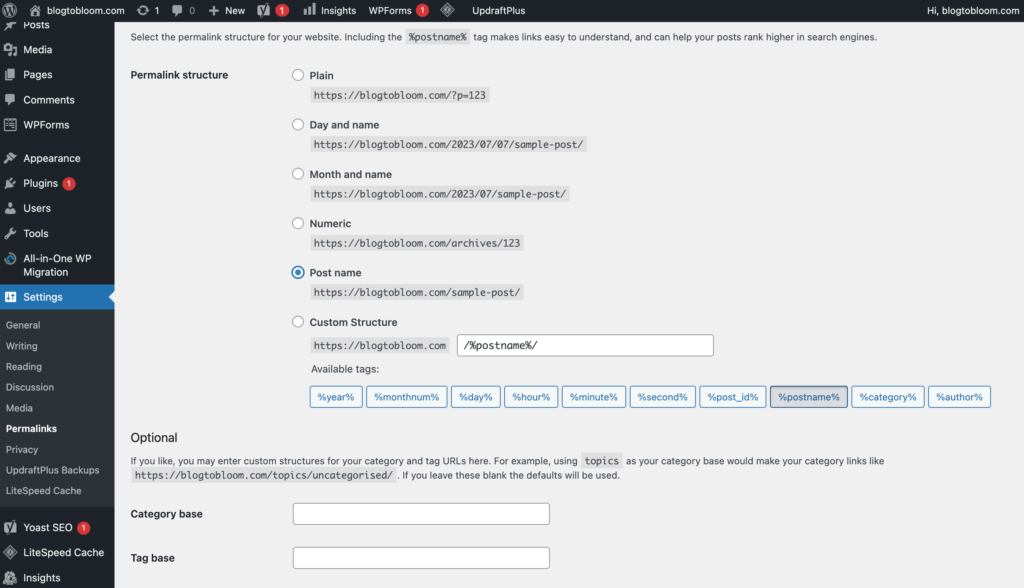
    Another essential step to take before you upload your blog posts is to reset the permalink structure. The default setting is “Plain,” but an SEO-friendly option is a permalink that contains words from the blog title. So it’s advisable to reset it to “post name.”

    In addition, the best practice is to customize the permalink each time you write and publish a new blog post. A shorter permalink is more recommendable. So if possible, edit your permalink for each of your blog posts by keeping 3-4 main keywords only.

    Editing the permalink only after the blog post has been published for a while will cause much hassle. Remember to set it right in the beginning.
    Write or Upload Blog Posts

    Once you have completed all the steps above, you’re good to go. Click “Post” on the left sidebar to compose your first blog post. Alternatively, you can copy and paste any pre-written text.


    Have you written your first blog post? Have no idea how to start? Check out the 6 essential writing tips I put together for you to unleash your blogging potential!


    Congratulate yourself and give yourself a tap on the back when you get to this milestone. However, creating a self-hosted blog is only the beginning of the journey toward successful blogging. We have many more tasks awaiting us ahead. Let’s embrace the challenge, have fun, and let our creativity bloom!


    I’d would like to hear your thoughts and questions! If you have any insights to share, experiences to discuss, or need further guidance, drop your comments below. Happy blogging!
  • Essential Blogging Tips for Beginners: How to Write a Blog Post

    Essential Blogging Tips for Beginners: How to Write a Blog Post

    Are you a beginner looking to venture into the world of blogging? Starting a blog can be an exciting and rewarding experience, but it’s important to have a solid foundation to ensure our success. I shall explore essential tips for writing blog posts in this beginner’s guide. Let’s dive in and learn how to write a blog for beginners.


    Contents

    Introduction

    As I embark on this journey of setting up a blog to make money online, I’m increasingly convinced of the potential of blogging. Though I would not say blogging is a thing for everyone, it can certainly offer a way out for some of us. 

    I “preached” those possibilities to a few of my friends, who are similarly navigating their own life crises. 

    One friend responded, “Blogging suits you because you’re good at writing,” but quickly added, “I’m bad at writing.”

    Well, as someone who has published a book and has a monthly column, perhaps I can’t say that I’m poor at writing. 

    Notwithstanding my claim that I like to write, paradoxically, most of the time, writing doesn’t come effortlessly to me either. Maybe it’s because I’m not endowed with an aptitude for writing. 

    Compared to some writers I know, I invest more time and effort into crafting an essay, regardless of the language. The less familiar I am with a language, the more time and effort I require.

    That’s why I was hesitant and even reluctant to start this blog initially.

    Blogging Tips for Beginners

    Is this only an issue my friends and I face? A simple Google search for “tips for writing a blog” returned a staggering 917,000,000 results. “Tips for writing a blog for beginners” generated an even more overwhelming 1,240,000,000 results. This indicates that this is a highly saturated and competitive niche. 

    Should I be discouraged from writing this topic? I don’t think so. 

    This is an evergreen topic as long as blogging is still relevant. Evergreen topics have a long lifespan. Even though my post may not be ranked well in the short term, nobody can rule out the possibility that it may improve over time.

    After all, instead of creating a viral post that earns me fame overnight, my goal is to create quality and evergreen content that provides value to my readers. I believe that it will be the crucial foundation for my ultimate goal of generating passive income and achieving financial freedom by blogging!


    Have you started your blog? Have no relevant experience and not sure how to start a blog? Check out my step-by-step guide to starting a blog!


    Save for later ⤵️

    blog writing tips

    With that in mind, I am eager to share a unique perspective through the following essential tips, which serve as a gentle reminder to myself and other fellow beginners.

    #1 – Develop a Schedule: Making Time for Writing

    Writing is a lonely task. It requires discipline and focus, which can be a luxury for people in modern times, especially if you have a full-time job, family, children, and other commitments. 

    If we do not have a fixed schedule for our writing tasks, we may end up finding no time to write at all. 

    Depending on how much time you can squeeze out from your daily routine and commitments, allot a fixed amount of time for writing daily. If it’s impossible to find some spare time to write every day, write at least once or twice a week. 

    When asked how he managed to find time to write in the midst of his full-time job and his commitments as a husband and father, Keith Wheeler, a YouTuber, who also independently publishes books on Amazon KDP, said he writes when he is waiting to pick up his kids from school. When other parents socialize with each other and engage in small talk when waiting for their children, he sits in the car, takes out his laptop, and writes.

    Isn’t it inspiring?

    Once you set out your schedule, remember to honor it. Spend the time set for writing in front of your computer, whether or not you have anything in mind to write.

    Sometimes, the process of writing is like tapping around in search of a water source. Before we sit down to write something, it’s as if there’s nothing we can write whatsoever. But once we get started, ideas will flow our way one after another.

    #2 – Start With an Outline: A Roadmap for Effective Writing

    Starting with an outline helps in several ways. By listing out the main points, ideas, and key arguments first, it becomes easier to structure and organize our writing. It provides a clear direction for us to follow once we start to write, which will save time in the long run.

    An outline also helps us stay focused, coherent, and on-topic, and prevent us from getting distracted and carried away from the main points or our original plan when we start writing.

    For people who have to juggle many tasks and commitments and can only spend small parcels of time like 15 or 30 minutes to write each time, an outline is especially helpful. With an outline in place, you may focus on a particular point at a time, allowing you to write in a more effective and flexible manner.

    #3 – Set Realistic Small Goals: Achieving Success One Step at a Time

    Many resources I found recommend 1,500-2,000 words as the ideal length of a blog post to rank well because search engines like Google favor longer articles. 

    Gasp! Looking at those figures alone stressed me out.

    I’m a slow writer. Even with years of experience in writing, I write extremely SLOW. I personally know some writers who write fast, and I think for them, writing an article of that length is an easy-peasy job they can finish within an hour or so. But for me, it feels like taking forever.

    So it was a great relief to hear from a successful blogger Ryan Robinson that he spent a week finishing writing his very first blog post of a length of 700 words. Phew! I’m so relieved to learn that I’m not the only one.

    So if you’re going through the same struggle as me, or you’re intimidated by the thought of having to write every post that long, I think reminding ourselves to set realistic and attainable goals will help. 

    Instead of compelling ourselves to write long articles of more than 1,500 words, we can set a lower target, say 700-800 words. Doesn’t it sound a lot easier?

    Uploading new blog posts more frequently may help to achieve better performance. But if you have a tight schedule that only allows you to upload a post or two every month. By all means, stick to your own pace. Consistency is what matters more.

    Getting started is way more important than holding ourselves back because of the fear of not being able to implement all the recommended best practices.  

    Also, break a big goal down into several small goals so that we can achieve our goals easier and faster. This is crucial to keep us motivated and going.

    Save for later ⤵️

    blogging tips for beginners

    #4 – Write in Simple Language: Enhancing Readability and Engagement

    I’m always a big fan of simplicity, perhaps with the exception of Gabriel Garcia Marquez, who can write in such sophisticated and intricate language yet still fascinate me with his exceptional writing and storytelling mastery.

    But most of us are not Marquez. Writing in simple language helps us convey our messages clearly to our readers and prevent confusion and misinterpretation. Simple language enhances the readability of our blog posts. Readers can quickly scan and comprehend our content, which encourages them to stay engaged and continue reading.

    Moreover, using simple language will help us access a broader audience and overcome cultural and educational barriers. It will make our blog posts more inclusive and engaging to all readers, irrespective of their English proficiency. 

    Remember, we write for our readers, not for ourselves. It’s especially so if we set up our blogs as a business venture.

    Nevertheless, simplicity does not mean monotonous. Try to compose sentences of different lengths to avoid writing dull passages. 

    #5 – Draw Inspiration From Existing Content and Ideas

    Some of you may feel the urge of creating original and creative content when it comes to blogging. I have this misperception from time to time too. 

    When we come out with an idea to write a certain topic and do some research, we may find that there’s already a myriad of blog posts, webpages, and social media postings on the same topic. So what else to write?

    We may be afraid of repeating the points that others have said and not being original enough. But the constant pursuit of novelty can cause immense pressure and may not be sustainable.

    While originality is important, relatability is often the factor that keeps our readers around. So don’t be afraid of drawing inspiration from existing content and ideas. The following approaches may help us offer our unique take and create impactful content even if we are building on the existing ideas:

    • Provide in-depth analysis
    • Share personal experiences
    • Offer practical examples and case studies
    • Address current trends or new developments
    • Present contrasting views or alternative approaches
    • Combine ideas or concepts

    #6 – Intersperse With Visuals: Enhancing the Reader Experience

    Reading blog posts is a somewhat different experience from reading a printed publication or an ebook. We may have no problem reading only plain text in the latter case, reading a few thousand words on the screen in plain text could be tormenting. 

    Proper spacing between paragraphs provides a more pleasant reading experience. We may also include visual elements like images, diagrams, or screenshots in our blog posts to break up the text and make the posts visually appealing. We can also summarise our points and present them in a table so that our readers can grasp them more easily. 

    Moreover, those visuals will come in handy when we promote our blog posts on social media such as Pinterest, which will help to attract more traffic and shares.

    Canva is absolutely awesome when it comes to designing diagrams, and Unsplash, Pexels, and Pixabay are some of the popular websites we can find free stock images.

    Blogging is a journey, and as beginners, it’s natural that we have doubts and uncertainties. It’s okay to make mistakes and be imperfect as long as we keep learning and improving along the way.


    I’d love to hear your thoughts and questions! If you have any insights to share, experiences to discuss, or need further guidance, drop your comments below. Let’s create a supportive community where we inspire and learn from each other!

  • How to Start a Blog for Beginners

    How to Start a Blog for Beginners

    Some of the links in this post are affiliate links, which means that if you click on these links and make a purchase or take some other action, we may receive a commission at no additional cost to you.


    Starting a blog can be both exciting and challenging, especially when we aim to monetize it. Are you aspiring to start a blog and make money but have little clue about how to do it? If so, you’ve come to the right place! In this blog post, we’ll explore the exciting world of blogging and learn how to start a blog from scratch.


    Contents

    Introduction

    Despite my blogging experience more than a decade ago, I see myself as an absolute beginner because unlike my previous blog, which was more like a creative outlet where I wrote whatever came to my mind whenever I liked, this brand new blog is essentially a business venture. 

    To be completely honest, I wouldn’t have chosen to start this blog if I wasn’t looking for opportunities to make money online. To this end, I need a different approach altogether. 

    For sure I must not do things out of whim and intuition if I want to monetize my blog fast or fast enough. To start, I conducted some research to gain some basic ideas about what I needed to do. I Googled “How to start a blog and make money for beginners,” clicked the first several articles, and read them one by one. 

    Save for later ⤵️

    how to start a blog for beginners

    How to Start A Blog

    I found myself overwhelmed by the sheer amount of information available. It felt as if I was buried under an avalanche of information, unsure of where to begin and how to navigate it all.

    “Where to start?” 

    “How am I going to figure it all out?”

    I needed a few deep breaths and a short break away from my laptop. Inhale, exhale, inhale, exhale… …

    In order to make sense of it all, I realized that I needed to filter the information effectively. No, don’t get me wrong. I don’t mean filtering out useless information. I understand there must be some wisdom in every piece of these pieces of advice and recommendations. Their experiences are definitely worth learning from and emulating. 

    However, I needed to develop a model that I can cope with and that works well for me.

    Steps to Start a Blog for Beginners

    With this in mind, I started pulling everything together to create a framework for my action plan. Breaking it down into simple and manageable steps became my priority.

    Save for later ⤵️

    how to start a blog

    Step 1: Preliminary Research

    Over the past 1-2 weeks, I dedicated my time to researching how blogging can be a profitable online business and how to work towards that goal. Honestly, I hesitated and was reluctant to start an English blog, feeling intimidated by the task. 

    Consistency also worried me as it had always been a challenge for me to maintain a blog. Attempting to find an easier way out, I considered exploring the possibility of making money solely through Pinterest, but I soon realized that it would be difficult to create in-depth and meaningful content solely with pins. 

    Without expanding on my ideas, I wouldn’t be able to bring substantial value to my readers.

    Ultimately, I came to the conclusion that as daunting as it may seem, a blog is still essential in the long run. 

    Moreover, with a blog, besides affiliate marketing, I can also generate revenue from advertisements and my own online store. 

    (I’ve learned that there are also other ways of making money with a blog, but I identify these as the three ways I’m going to focus on and develop first).  

    Keep things simple, as my mantra goes.

    Step 2: Decide on Blog Name and Niche(s)

    As an introvert, blogging under a pseudonym is a natural and more comfortable choice for me.

    Before I can decide on my blog name, I need to determine how I’m going to position my blog and what niche or niches I want to cover. 

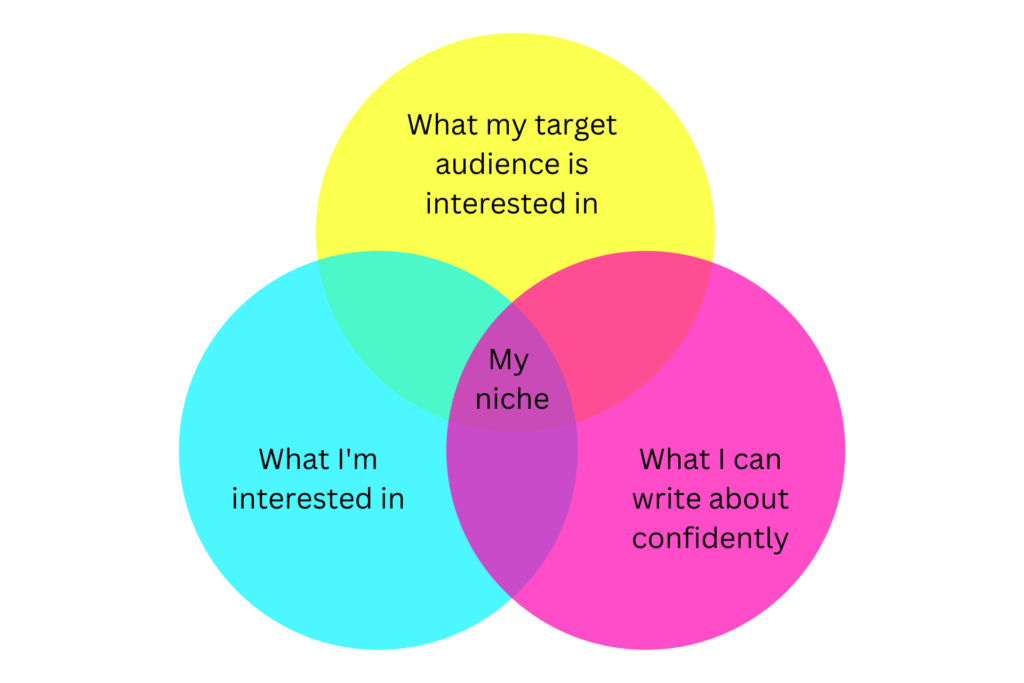
    The position and niche(s) should be topics that both myself and my target audience find interesting, and at the same time, I can write about confidently and comfortably. 

    I was initially mired in self-doubt and mistakenly thought of writing like an expert when I’m not one myself. However, it was an “AHA!” moment when I realized seasoned bloggers today were once beginners too. 

    Even as a beginner, I can also create valuable contents that my readers find relatable and useful. 

    Once I decide how I’m going to position my blog, brainstorming my blog’s name became easier.

    Depending on the availability, I will choose a domain name that corresponds with my blog’s name as much as possible. Recognizing that I will use the domain name for a while and it will be how people search my blog, I reckon that my blog’s name should be:

    • Short and simple
    • Easy to pronounce and remember
    • A name that identifies with my blog’s position and niche(s)
    • Preferably words that rhyme 

    Step 3: Write the First Few Blog Posts and List Future Topics

    As mentioned earlier, consistency is my biggest concern when it comes to blogging. To achieve success in whatever area, consistency is vital. 

    For example, let’s compare two individuals: A, who engages in strenuous 4-hour gym sessions but takes a month-long break afterward, and B, who exercises moderately for 30 minutes, three times a week. Who do you think is more likely to achieve better results?

    Therefore, although some seasoned bloggers recommend getting a blog online as soon as the blog’s name is determined, I prefer to adjust the sequence a little. 

    I decided to write at least 5 blog posts to lay a considerably solid foundation before I start my blog. (In the end, I started my blog with only 3 blog posts and an “About” page written.)

    Also, I brainstormed and mapped out 10-20 blog topics or ideas that I can write about once my blog is live. While I may not have to stick to these topics or ideas, outlining the scope can ensure that I have chosen the right niches.


    Not familiar with writing? Feeling hesitant to start a blog because you don’t know how and what to write? Check out the essential writing tips I’ve put together here!


    Step 4: Select Blogging Platform and Sign Up for Web Hosting

    In the past, I hosted my blog on Blogger.com, a free platform. When I decided to start a new blog, it naturally crossed my mind to use the same free platform again. 

    Of course, I could, and some bloggers hold that we can monetize our blogs even on free hosting sites. However, other bloggers recommend self-hosting our blogs if we take this business seriously (and this opinion seems to be the majority). 

    It is recommended that we should get self-hosted from the start for the following reasons:

    • Monetization Freedom: Unlike free blogging sites, self-hosted websites have no limitations on monetization. If your blog is essentially a business venture, having your own self-hosted website is crucial.
    • Professional and Memorable: With a self-hosted blog, you can choose your own domain name, giving your site a professional and memorable appearance. Visitors will find it easier to locate and remember your website.
    • Content Protection: When you’re self-hosted, you have complete control over your site and content. Free blogging platforms can shut down unexpectedly or remove websites without notice, risking the loss of all your content.

    The third point resonates with me the most, especially after experiencing the frustrating episode of seeing my Amazon KDP account terminated recently.

    Additionally, I reckon that by using a paid platform, I can worry less about the technical stuff. As I’m not a tech-savvy person, it is a worthy investment to free myself from technical worries at an affordable price. 

    To start a blog as beginners, the contents of the blogs should be our primary focus. 

    Step 5: Set Up and Design My Beginner Blog

    After comparing several popular hosting service companies, I chose Hostinger to host my blog. 

    Besides its almost ridiculously affordable pricing plan, a Crazy Egg review ranks it as the best hosting option

    Other reasons behind my choice are: the Hostinger plan comes with free SSL, free email, and a free domain. 

    I chose the 48-month Premium Web Hosting package to lock in my hosting cost for the next 4 years at RM9.99 (US$2.99) per month. In fact, the actual cost is RM9.40 (US$2.87) per month as the plan comes with 3 months FREE (2 months in the US)!

    Check out this post to learn how to set up and design a self-hosted blog. 

    Step 6: Promote My Blog to Drive Traffic

    Creating great content is just the first step; promoting the blog is equally important to attract readers and build a following. 

    During my preliminary research, I came across some recommended methods, including leveraging social media platforms, guest posting on relevant blogs, participating in online communities, and optimizing my blog for search engines.

    In the days to come, I will be testing out some of these strategies to drive traffic to my blog. I’m committed to sharing with you my experiments and how they will turn out. Join my mailing list today to receive the latest updates!